SERIALFLOW / PRODUCT
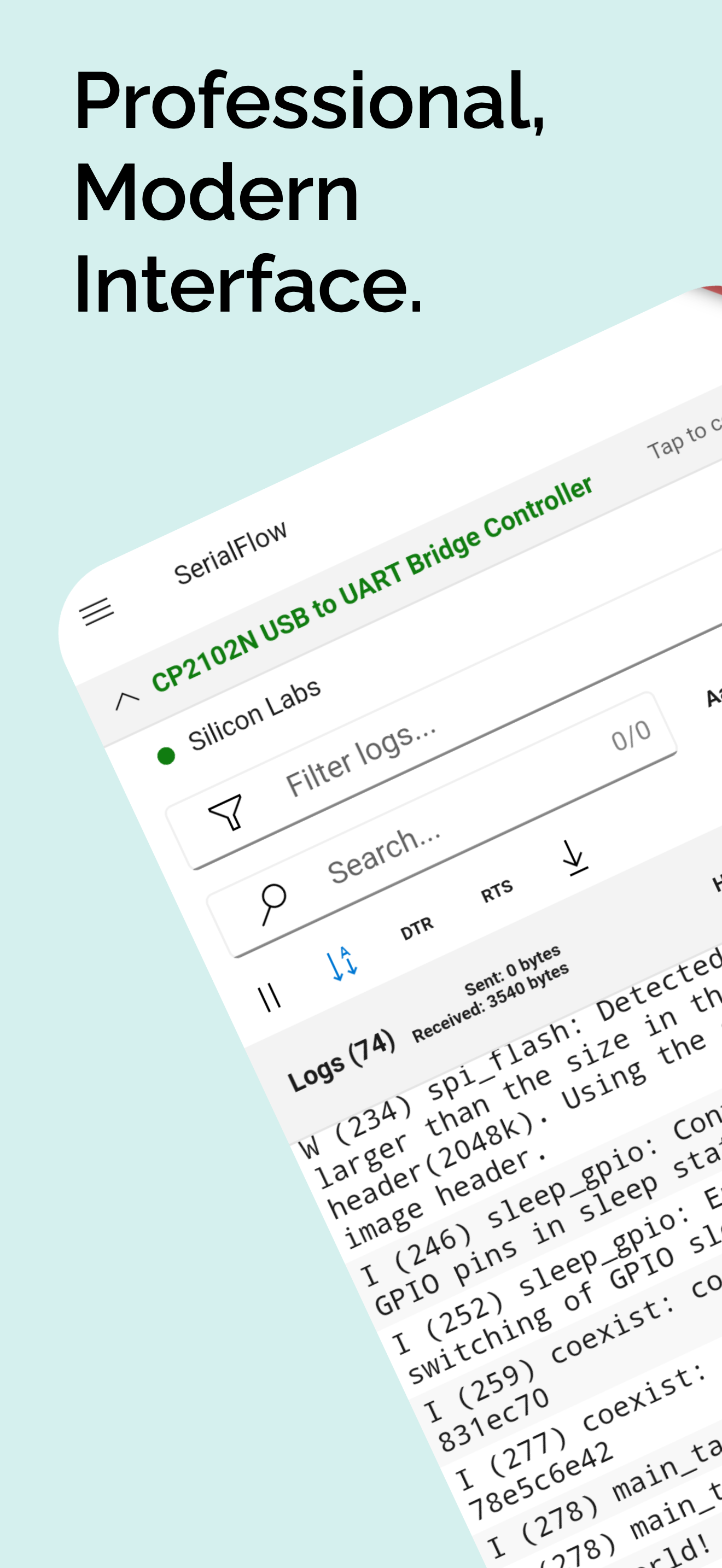
SerialFlow turns an Android phone into a complete USB serial workstation with advanced log analysis, protocol decoders, command automation, waveform plotting, GNSS diagnostics, and 3D attitude views.
SerialFlow: More Than an Android Serial Terminal
Most Android serial apps stop at three jobs: open a USB port, print incoming text, and send a line back. That is enough for a quick test, but it becomes frustrating as soon as the device produces thousands of log lines, mixes text with binary frames, streams sensor values, or needs repeated commands.
SerialFlow takes a different approach. It treats an Android phone or tablet as a mobile serial debugging workstation rather than a small terminal window.
Calling it one of the most powerful serial terminal apps on Android is not an empty slogan. SerialFlow combines native USB serial access, high-volume log handling, search and filtering, protocol-aware decoders, text and Hex transmission, command automation, waveform charts, GNSS tools, 3D attitude visualization, background operation, and exportable session logs in one application.
Why the feature set stands out
| Area | What SerialFlow provides |
|---|---|
| USB connection | Native Android USB Host/OTG access, device discovery, permission handling, serial configuration, DTR, and RTS |
| Log workflow | Pause, auto-scroll, timestamps, text or Hex display, filter, search, regex, highlighting, selection, and export |
| Transmission | Text and raw Hex sending, selectable line endings, command history, quick commands, and loop sending |
| Decoding | Text, ESP-IDF, Raw, Modbus RTU, MSP attitude data, plus parallel NMEA parsing |
| Visualization | Multi-series waveform charts, GNSS satellite diagnostics, map view, and 3D attitude view |
| Long sessions | On-device session recording, large configurable buffers, Android foreground service, and RX/TX statistics |
| Learning and testing | Virtual sources for text telemetry, NMEA, Modbus, ESP-style logs, raw binary, MSP, and phone motion data |
That combination is what separates SerialFlow from a conventional serial console. It can inspect a boot log, validate a binary frame, monitor a sensor trend, examine GNSS reception, and repeatedly send a test command without switching tools.
Native Android USB serial access
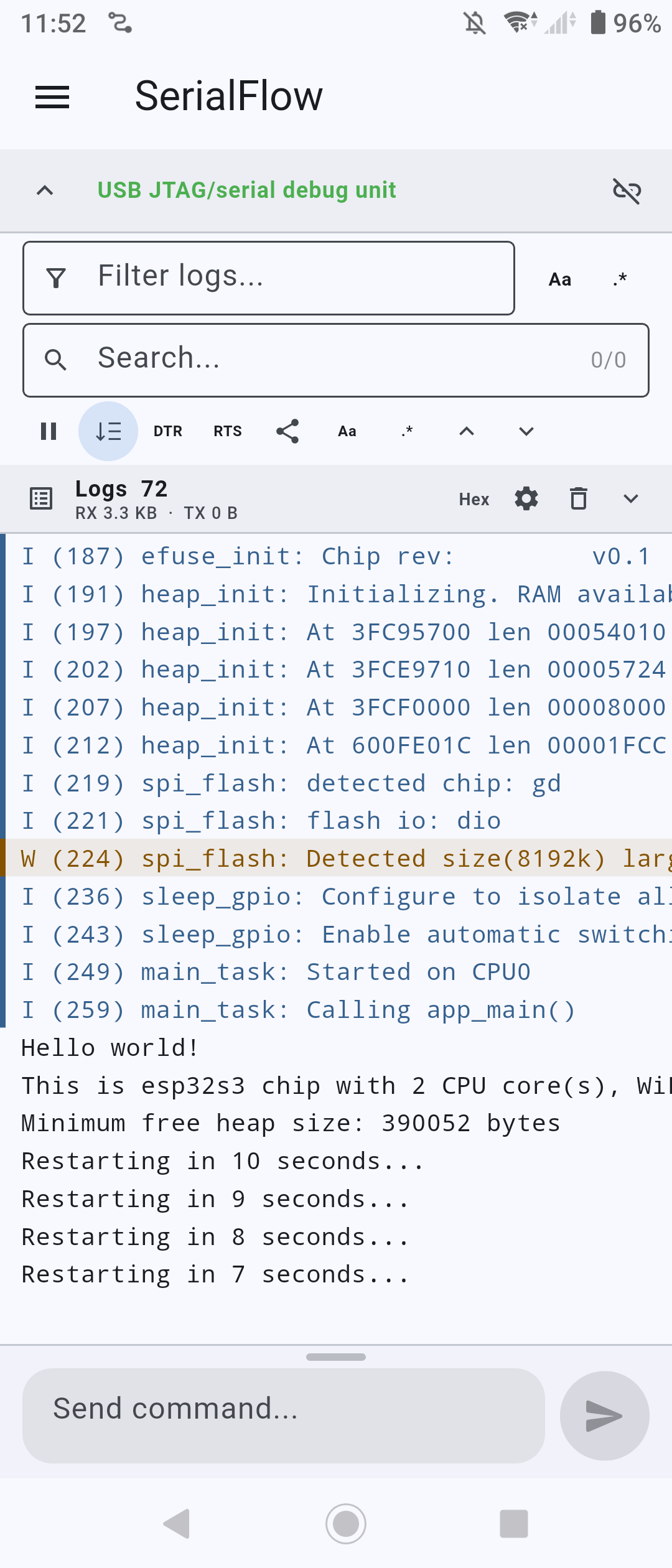
SerialFlow does not depend on a browser-based Web Serial layer. Its Flutter interface communicates with a native Android USB implementation built on usb-serial-for-android through Flutter method and event channels.
The Android layer discovers supported USB serial devices, requests the system USB permission, opens the selected port, streams incoming bytes in the background, and exposes control lines such as DTR and RTS.
Complete connection controls
The connection screen provides the settings needed for real embedded and industrial equipment:
- common baud rates from 1,200 through 921,600 baud;
- 5, 6, 7, or 8 data bits;
- 1 or 2 stop bits on Android;
- None, Odd, Even, Mark, or Space parity;
- manual DTR and RTS control;
- device refresh and reconnect entry points;
- live received and transmitted byte counters.
These controls matter when working with more than one type of hardware. A GNSS receiver, an Arduino-compatible board, a PLC adapter, a laboratory instrument, and a custom controller may all use different serial settings.
A log engine designed for noisy devices
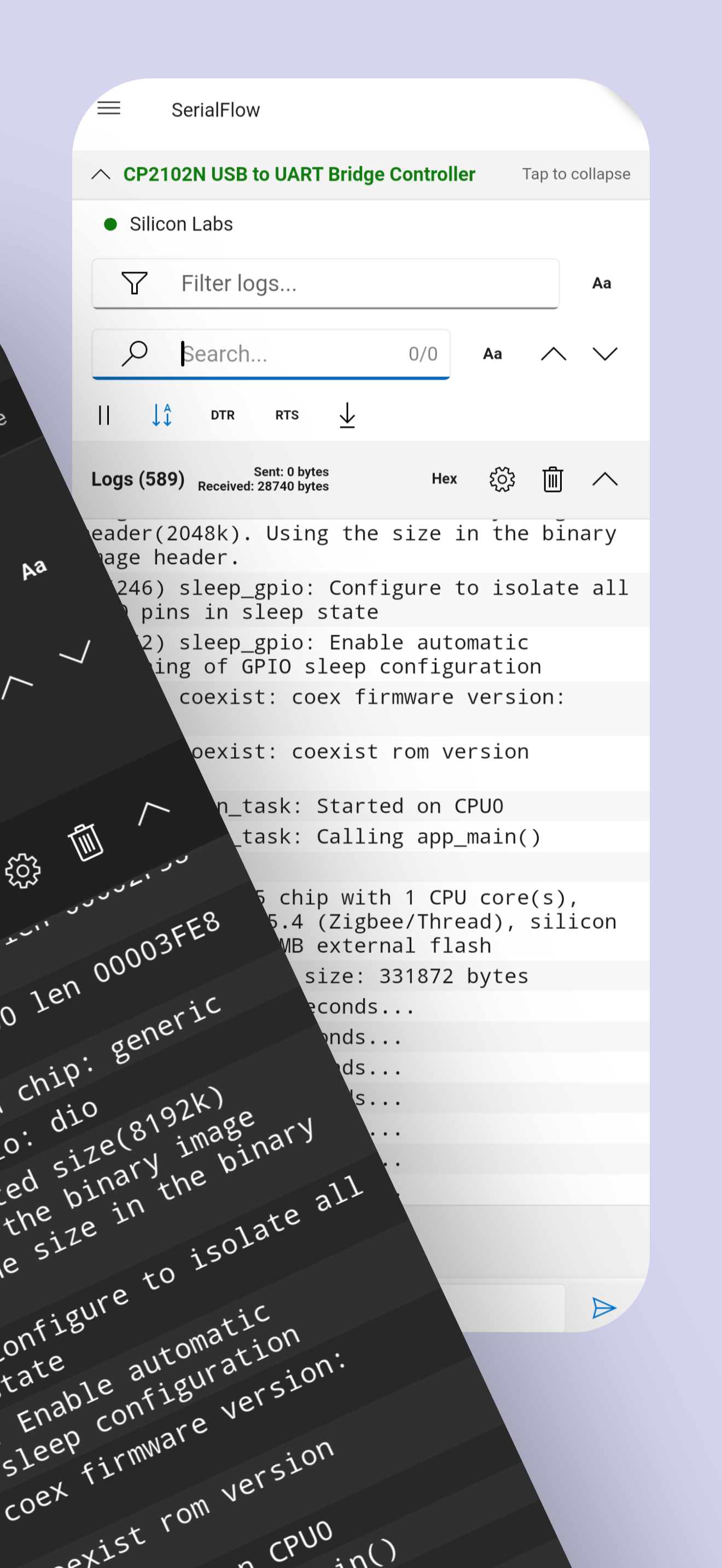
A terminal becomes difficult to use when output moves faster than the user can read it. SerialFlow therefore treats log management as a primary feature rather than an afterthought.
Incoming data is batched before the Flutter interface is updated, so a burst does not force a complete screen rebuild for every packet. Active filters are applied incrementally to new entries, while searches are refreshed on a controlled schedule. The practical result is a terminal designed to stay usable during continuous output.
Pause without losing control
You can pause the visible log stream at the moment a failure occurs, disable or re-enable auto-scroll, and manually inspect long lines with horizontal scrolling. Manual scrolling automatically stops follow mode, so the app does not pull the user back to the newest line while an older event is being investigated.
Display options include:
- optional millisecond timestamps;
- adjustable terminal font size;
- normal text or Hex display;
- optional raw receive-chunk boundaries;
- visual colors for system messages, transmitted data, warnings, errors, NMEA messages, and decoded protocol output.
Filter first, search second
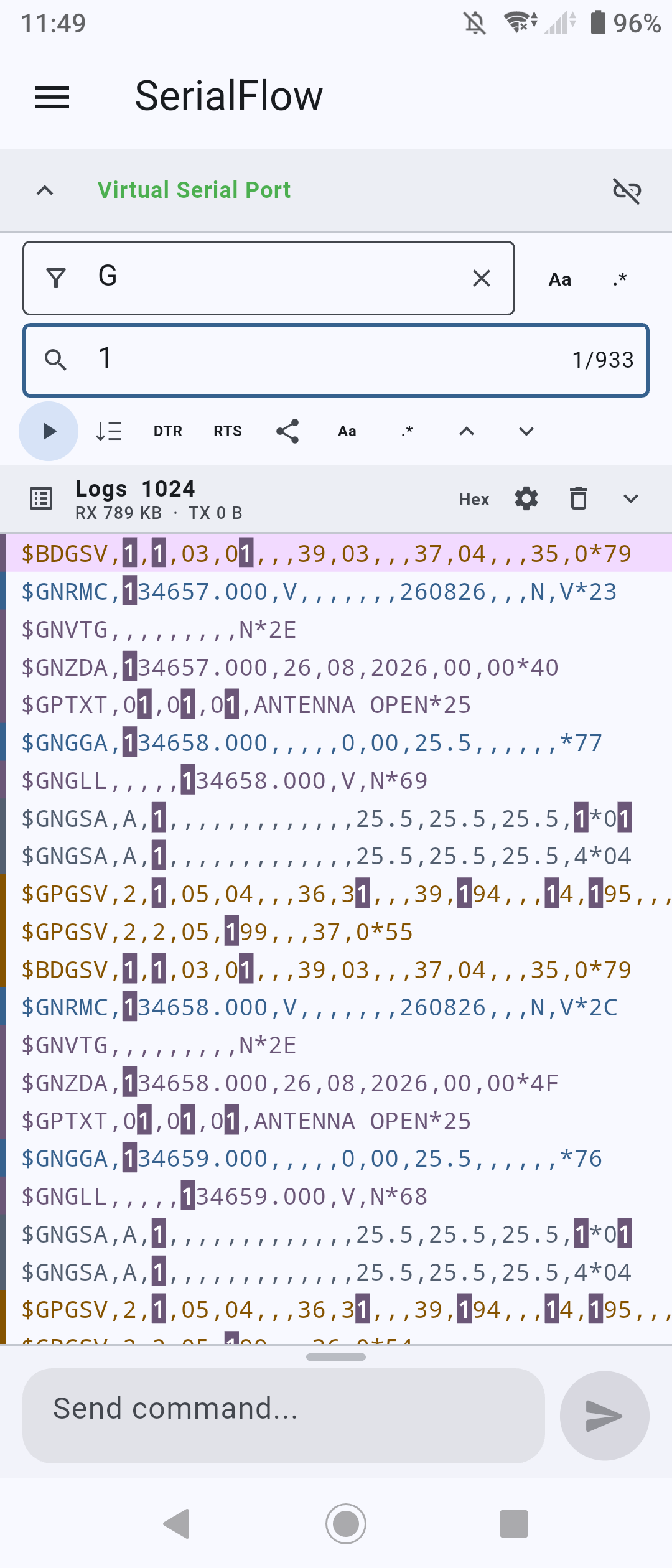
Filtering and searching solve different problems, and SerialFlow supports both at the same time.
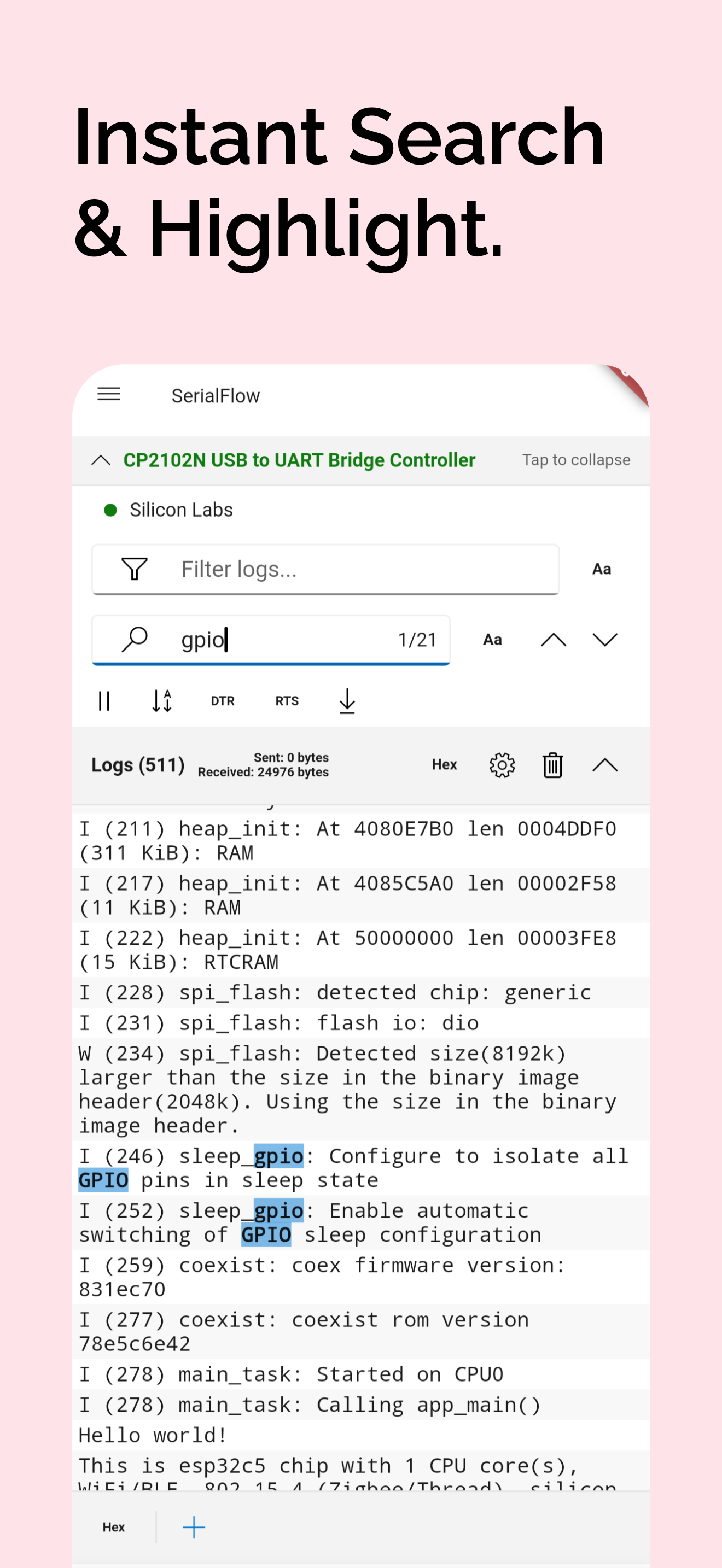
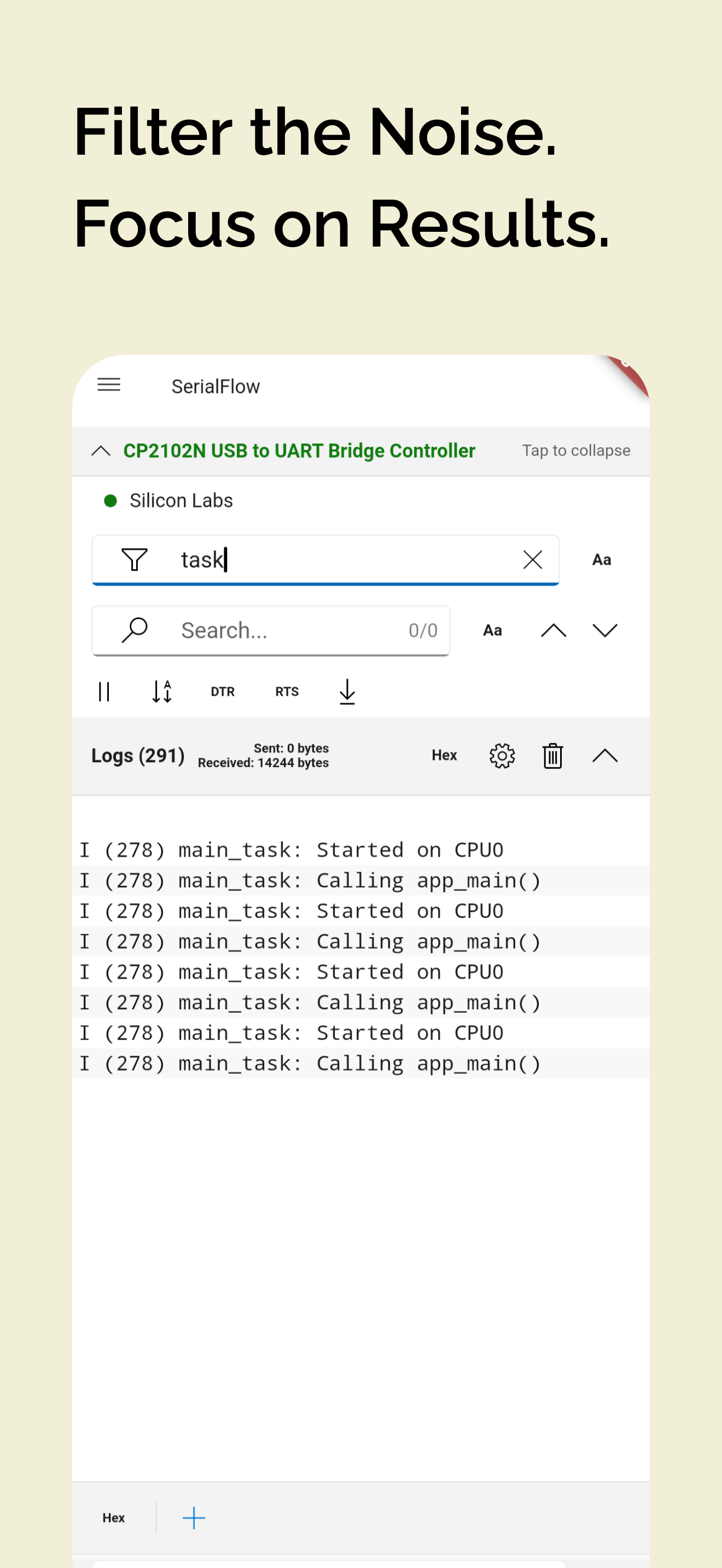
The filter continuously reduces the visible stream. It supports plain text, case-sensitive matching, and regular expressions. Search then works inside the currently visible result set, highlights every match, and lets the user jump to the previous or next occurrence.
For a large mixed log, you might first filter for motor, then search for timeout. A regular expression can isolate several failure types at once:
(error|timeout|crc|disconnect|watchdog)This layered workflow is much closer to a desktop log viewer than a basic mobile terminal.
Keep evidence, not only what remains on screen
SerialFlow records each connection session to an on-device text file while data arrives. The visible buffer can be kept compact for performance, but the session itself can still be exported and shared as a timestamped file.
The free configuration keeps 1,024 lines in the visible buffer. SerialFlow Pro provides 4,096, 16,384, and 65,536-line options for longer investigations.
Text, Hex, and command automation
Serial communication is bidirectional, and SerialFlow gives transmission the same level of attention as reception.
Send ordinary commands correctly
Text mode supports four line-ending choices:
- no suffix;
- CR (
\r); - LF (
\n); - CRLF (
\r\n).
This small option fixes a surprisingly common problem: a device appears connected but ignores commands because its parser expects a different terminator.
Send raw bytes without fighting the keyboard
Hex mode accepts spaced bytes, continuous Hex strings, 0x prefixes, commas, and common whitespace. The input is normalized into byte groups and validated before transmission, reducing mistakes when testing binary protocols.
Examples include:
01 03 00 00 00 02 C4 0BAA550102FFReuse and repeat commands
SerialFlow keeps a per-monitor command history and allows users to move backward and forward through recent input. Frequently used commands can be saved as named quick-command buttons, each with its own line ending.
For repetitive testing, loop sending can transmit a command at a chosen interval for a fixed count or continuously. That makes it useful for polling, endurance tests, actuator cycling, protocol experiments, and production checks.
Protocol-aware decoders
Raw text is only one form of serial data. SerialFlow includes several decoding paths so the same application can work with very different devices.
Text
Text mode reconstructs UTF-8 output while preserving ordinary ASCII behavior. It is suitable for command consoles, firmware logs, AT interfaces, and custom line-oriented protocols.
ESP-IDF logs
The ESP-IDF decoder recognizes common log levels and presents verbose, debug, information, warning, and error messages with different visual treatments. It is useful for ESP-IDF and compatible Arduino-ESP32 output, but it is only one decoder among several.
Raw data
Raw mode preserves receive chunks and byte counts instead of forcing the stream into text lines. It is the correct starting point when the device sends binary data, proprietary packets, or an unknown encoding.
Modbus RTU
The Modbus path buffers incoming bytes, detects frame boundaries after a quiet interval, verifies the Modbus CRC, and formats valid frames into address, function, data, and CRC fields.
That is significantly more useful than displaying an uninterrupted wall of hexadecimal bytes when diagnosing an RS-485 gateway, energy meter, PLC, temperature controller, or industrial sensor.
MSP and NMEA
SerialFlow also contains MSP parsing for attitude data and continuously checks line-oriented input for valid NMEA sentences. NMEA processing runs alongside the selected log decoder, allowing the terminal and GNSS views to use the same incoming stream.
Turn serial values into visual information
The most distinctive part of SerialFlow is that data does not have to remain text.
Multi-series waveform view
SerialFlow automatically recognizes numeric key=value fields such as:
temp=23.6[C] voltage=3.31[V] current=0.42[A]Each key becomes a data series. The waveform view can display several series, hide or show individual channels, follow the latest samples, inspect a selected window, limit retained points, and switch to a logarithmic Y axis when the values span very different scales.
This works well for temperature, voltage, current, pressure, RPM, control error, loop timing, signal strength, and almost any other numeric telemetry emitted over a serial port.
GNSS satellite and map diagnostics
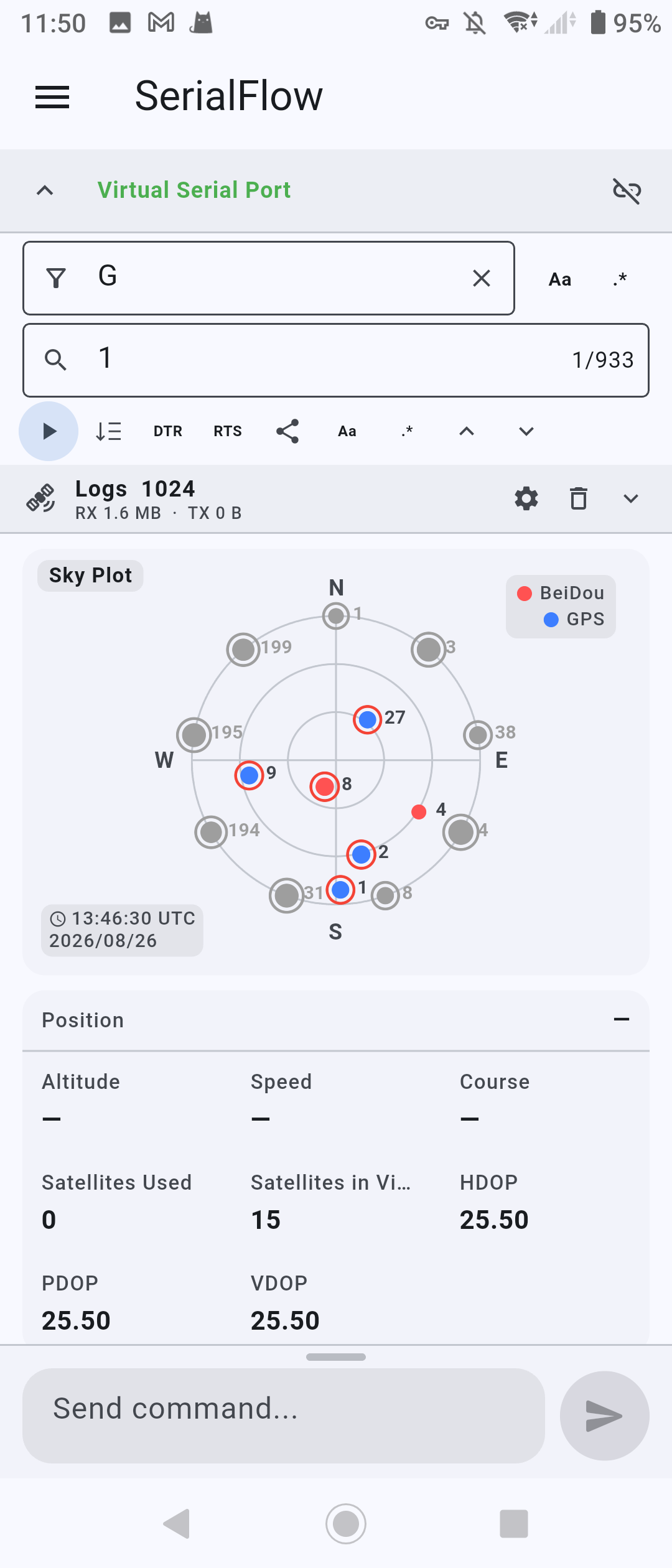
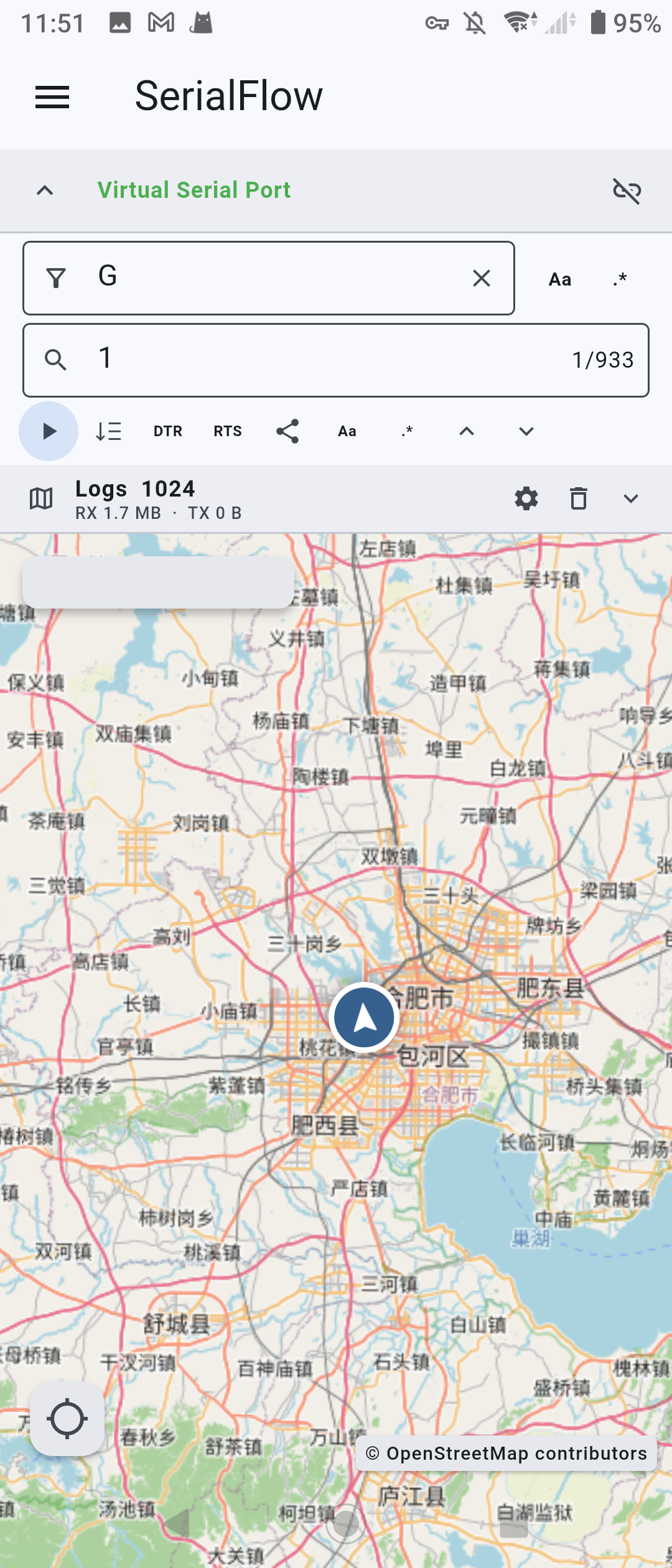
When SerialFlow sees valid NMEA data, it can extract speed, course, altitude, satellite count, HDOP, PDOP, VDOP, and satellites in view.
The dedicated GNSS tools include a satellite view with constellation filtering for GPS, BeiDou, GLONASS, Galileo, QZSS, IRNSS, and mixed GNSS data. Users can control signal rings, PRN labels, unknown-position satellites, and the satellite list. A map view provides geographic context for valid position data.
For GNSS module evaluation, antenna placement tests, vehicle devices, trackers, and outdoor installations, this is far more informative than reading $GGA and $GSV sentences manually.
3D attitude view
SerialFlow can build a 3D attitude model from simple text telemetry:
roll=12.4 pitch=-3.8 yaw=87.0It also accepts quaternion fields such as q0, q1, q2, and q3, and can update attitude from compatible MSP frames. The view includes smoothing, axes, and automatic rotation controls.
That makes the app useful for IMUs, robots, gimbals, flight controllers, balancing systems, orientation sensors, and motion prototypes.
Built for field work and long-running sessions
Android is valuable around hardware because it is portable, battery-powered, touch-friendly, and often already in the user’s pocket. SerialFlow adds features that make that form factor practical rather than merely possible.
An optional Android foreground service helps keep an active USB serial session alive while the application is in the background. Its notification reports RX and TX byte counts and provides a direct Disconnect action.
Combined with automatic session recording, export, quick commands, and loop sending, this makes SerialFlow suitable for field installation, maintenance, production-line checks, mobile robots, vehicle diagnostics, and experiments where carrying a laptop is inconvenient.
Explore the application without hardware
SerialFlow includes a virtual device system so users can inspect the interface and data tools even when no USB serial device is connected.
Virtual sources can generate or replay:
- general text and numeric telemetry;
- recorded NMEA data;
- valid Modbus RTU frames;
- ESP-IDF-style logs;
- Arduino-ESP32-style logs;
- raw binary chunks;
- MSP attitude frames;
- phone gyroscope data on supported Android devices.
The virtual device is more than a demo screen. It provides a safe way to learn regular-expression filters, test waveform settings, understand decoders, and evaluate GNSS or attitude views before connecting valuable hardware.
Who SerialFlow is for
SerialFlow is not limited to one chip family or one development framework. It can serve as a mobile serial workspace for:
- Arduino and other microcontroller projects;
- STM32, RP2040, ESP32, and custom firmware boards;
- USB-to-UART and USB-to-RS-485 adapters;
- Modbus RTU equipment and industrial controllers;
- GNSS receivers and tracking devices;
- sensors, motors, power electronics, and test fixtures;
- flight controllers, IMUs, robots, and gimbals;
- AT-command modems and communication modules;
- laboratory instruments and proprietary serial hardware.
The requirement is simple: Android must recognize the connected USB serial interface, and the device must expose data that SerialFlow can display, decode, or visualize.
Is it the most powerful serial terminal on Android?
There is no universal benchmark for serial terminal apps, and different users value different features. But SerialFlow brings together capabilities that are usually split across several categories of software:
- a USB serial terminal;
- a high-volume log viewer;
- a text and binary command console;
- a Modbus frame inspector;
- an ESP log viewer;
- a lightweight telemetry plotter;
- a GNSS diagnostic dashboard;
- a 3D attitude monitor;
- a repeat-command test tool;
- and an exportable mobile logging system.
That breadth is why describing SerialFlow as one of the most powerful Android serial applications is reasonable. It is not trying to be the smallest terminal. It is trying to be the serial tool you do not need to replace as a project becomes more complicated.
Some advanced capabilities, including larger visible buffers, unlimited quick commands, loop sending, waveform, satellite, and map views, may require SerialFlow Pro or a supported temporary unlock. Core USB serial connection, log viewing, search, filtering, text and Hex transmission, and protocol decoding remain the foundation of the app.
Explore SerialFlow Terminal or download it from Google Play.
For one practical end-to-end example, see How to Debug ESP32 from Android with SerialFlow. The same workflow applies far beyond ESP32: connect, capture, isolate, understand, act, and export.